React创建与配置
React创建项目
React脚手架搭建项目
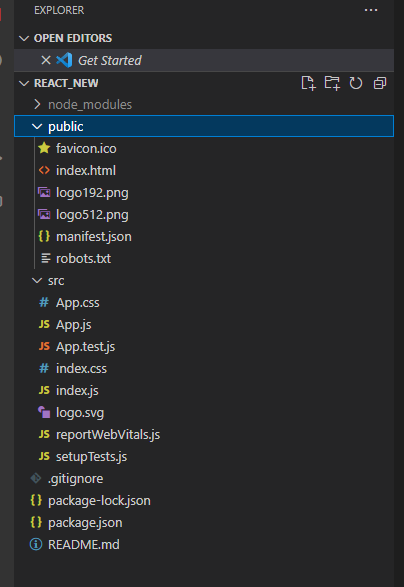
删除默认生成的文件:
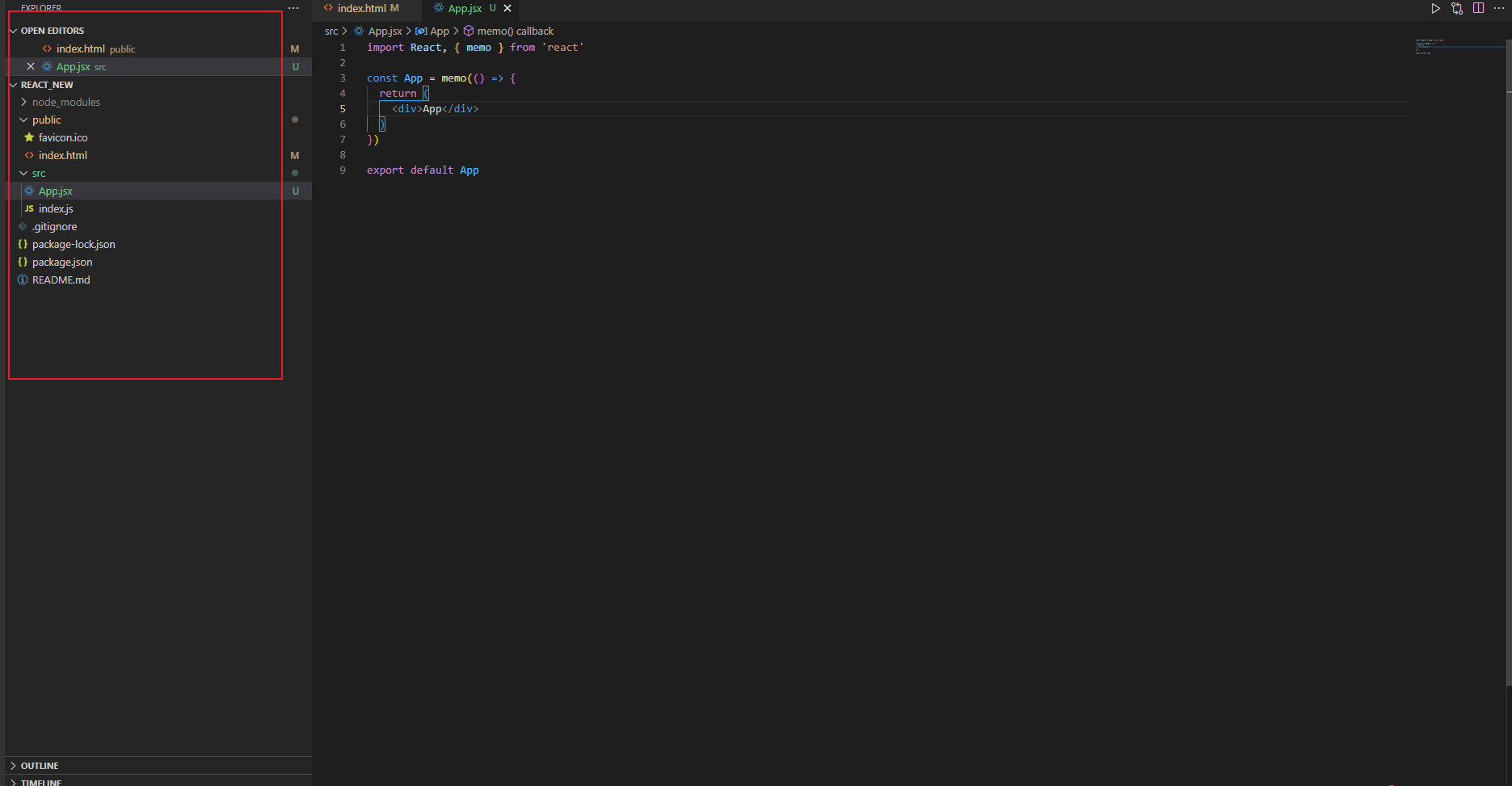
项目目录结构配置
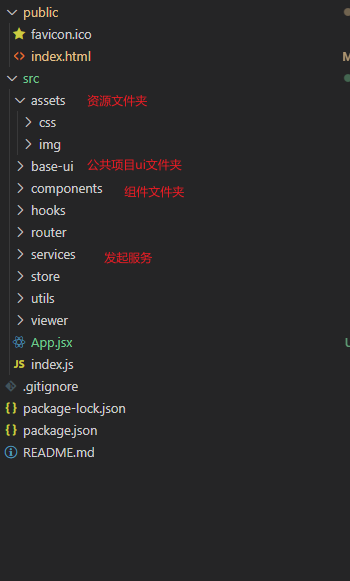
项目基本配置
配置项目的icon
直接把需要使用的icon替换public下面的favicon.ico
配置项目的标题
设置html文件下的title属性
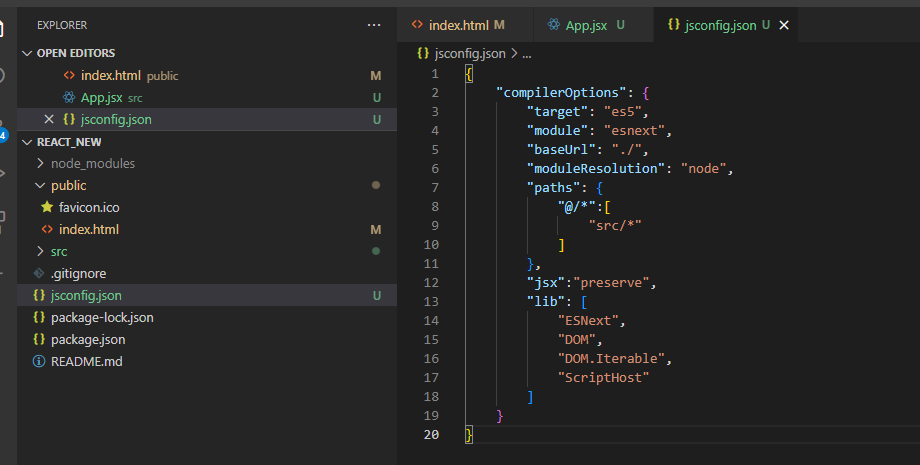
配置jsconfig.json文件
配置后编写项目的智能提示会好很多
1
2
3
4
5
6
7
8
9
10
11
12
13
14
15
16
17
18
19
20
| {
"compilerOptions": {
"target": "es5",
"module": "esnext",
"baseUrl": "./",
"moduleResolution": "node",
"paths": {
"@/*":[
"src/*"
]
},
"jsx":"preserve",
"lib": [
"ESNext",
"DOM",
"DOM.Iterable",
"ScriptHost"
]
}
}
|
项目的别名配置
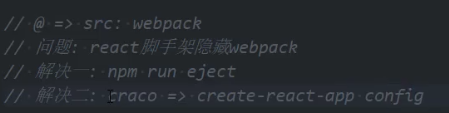
采用craco配置
webpack的配置:
- craco会使项目的配置与webpack的配置融合
1
| npm install @craco/craco@alpha -D
|
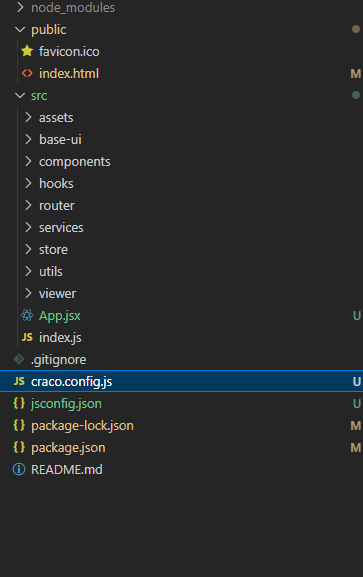
1
2
3
4
5
6
7
8
9
10
11
| const path = require('path')
const resolve = pathName=>path.resolve(__dirname, pathName)
module.exports = {
webpack:{
alias:{
"@":resolve("src"),
"components":resolve("src/components"),
"utils":resolve("src/utils")
}
}
}
|
要是craco生效,项目启动必须以craco启动,才能和webpack的配置融合——修改package.json中的scripts
1
2
3
4
5
6
| "scripts": {
"start": "craco start",
"build": "craco build",
"test": "craco test",
"eject": "react-scripts eject"
},
|
此时就可以用别名去写路径,避免长串的../../
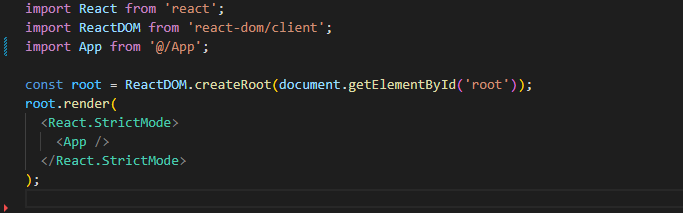
项目的less配置:
1
| npm i craco-less@2.1.0-alpha.0 --save -D
|
1
2
3
4
5
6
7
8
9
10
11
12
13
14
15
16
17
18
19
| const path = require('path')
const CraLessPlugin = require('craco-less')
const resolve = pathName=>path.resolve(__dirname, pathName)
module.exports = {
plugins:[
{
plugin:CraLessPlugin
}
],
webpack:{
alias:{
"@":resolve("src"),
"components":resolve("src/components"),
"utils":resolve("src/utils")
}
}
}
|
CSS样式的重置
对默认样式进行重置:
normalize.css:
1
| npm install normalize.css --save
|
在index.js中导入
reset.css:
1
2
3
4
5
6
7
8
9
10
11
12
13
14
15
|
body,p,button,input,dd,dl,dt,form{
padding: 0;
margin: 0;
}
a{
color: #484848;
text-decoration: none;
}
img {
vertical-align: top;
}
ul, li {
list-style: none;
}
|
React全家桶配置
路由配置
1
| npm install react-router-dom --save
|
index.js:
1
2
3
4
5
6
7
8
9
10
11
12
13
14
15
16
17
18
19
20
21
| import React, { Suspense } from 'react';
import ReactDOM from 'react-dom/client';
import App from '@/App';
import "normalize.css"
import "@/assets/css/reset.css"
import { HashRouter } from 'react-router-dom';
const root = ReactDOM.createRoot(document.getElementById('root'));
root.render(
<React.StrictMode>
{/* 懒加载是异步的,因此需要在保证异步未完成时提供一个可替换方案,可以是字符串也可以是组件 */}
<Suspense fallback="locding">
<HashRouter>
<App />
</HashRouter>
</Suspense>
</React.StrictMode>
);
|
router/index.js:
1
2
3
4
5
6
7
8
9
10
11
12
13
14
15
16
17
18
19
20
21
22
23
24
25
26
27
|
import React from "react"
import { Navigate } from "react-router-dom"
const Detail = React.lazy(()=>import("@/viewer/detail"))
const Entire = React.lazy(()=>import("@/viewer/entire"))
const Home = React.lazy(()=>import("@/viewer/home"))
const routes = [
{
path:"/",
element:<Navigate to="/home" />
},
{
path:"/home",
element:<Home/>
},
{
path:"/entire",
element:<Entire/>
},
{
path:"/detail",
element:<Detail/>
}
]
export default routes
|
react中的路由设置
Redux状态管理
- 普通方式:目前使用效率依然非常高
- @reduxjs/toolkit方式:推荐方式,未来的趋势
1
| npm install @reduxjs/toolkit react-redux --save
|
普通方式:
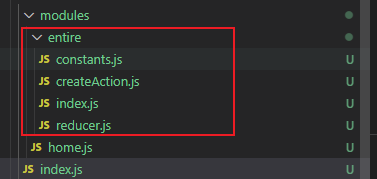
1
2
3
4
5
6
7
8
9
10
| const initialState = {
}
function reducer(state=initialState, action){
switch(action.type){
default:
return state
}
}
export default reducer
|
1
2
3
| import reducer from "./reducer";
export default reducer
|
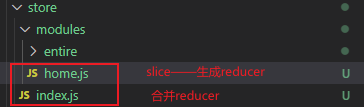
@reduxjs/toolkit方式:
1
2
3
4
5
6
7
8
9
10
11
12
| import { createSlice } from "@reduxjs/toolkit";
const honeSlice = createSlice({
name:"home",
initialState:{
},
reducers:{
}
})
export default honeSlice.reducer
|
1
2
3
4
5
6
7
8
9
10
| import { configureStore } from "@reduxjs/toolkit";
import homeReducer from "./modules/home"
import entireReducer from "./modules/entire"
const store = configureStore({
reducer:{
home:homeReducer,
entire:entireReducer
}
})
export default store
|
React与Redux
网络请求配置
发起网络请求库:
1
| npm install axios --save
|
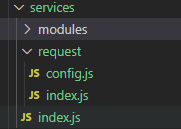
index.js代码:
1
2
3
| import owwRequest from "./request"
export default owwRequest
|
request/index.js代码:
1
2
3
4
5
6
7
8
9
10
11
12
13
14
15
16
17
18
19
20
21
22
23
24
25
26
27
28
| import axios from "axios";
import {BASE_URL, TIMEOPUT} from "./config"
class OwwRequest {
constructor(baseURL, timeout){
this.instance = axios.create({
baseURL,
timeout
})
this.instance.interceptors.response.use(res=>{
return res.data
},err=>{
return err
})
}
request(config){
return this.instance.request(config)
}
get(config){
return this.request({...config, method:"get"})
}
post(config){
return this.request({...config, method:"post"})
}
}
export default new OwwRequest(BASE_URL, TIMEOPUT)
|
request/config.js:
1
2
| export const BASE_URL = ""
export const TIMEOPUT = 10000
|