0%

本文代码:https://github.com/ouwenwu/UAV2GroundMapper.git

一、数据准备

无人机数据

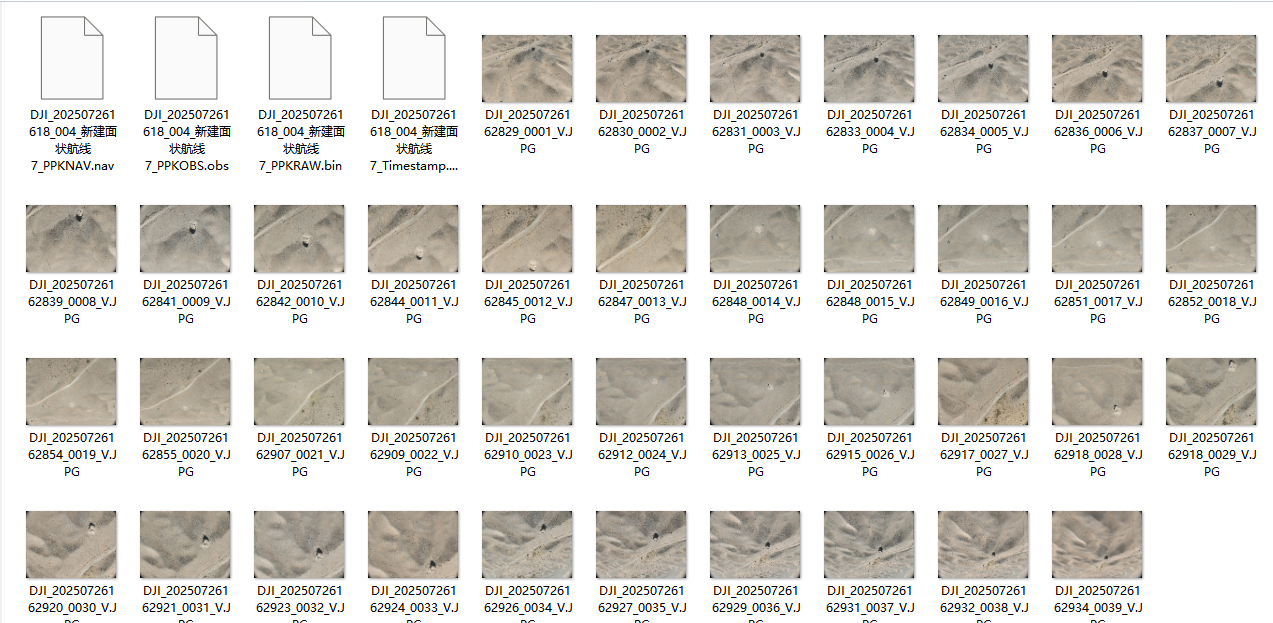
无人机数据图片

手持扫码仪数据

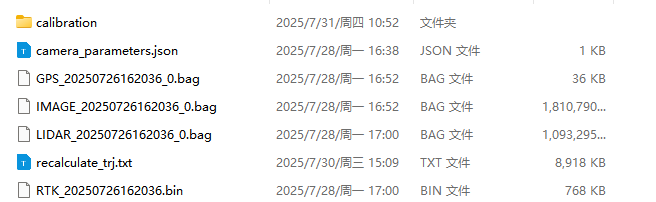
手持扫描仪数据

二、无人机数据处理

Photoscan无人机处理流程

Align Photos->Build Point Cloud

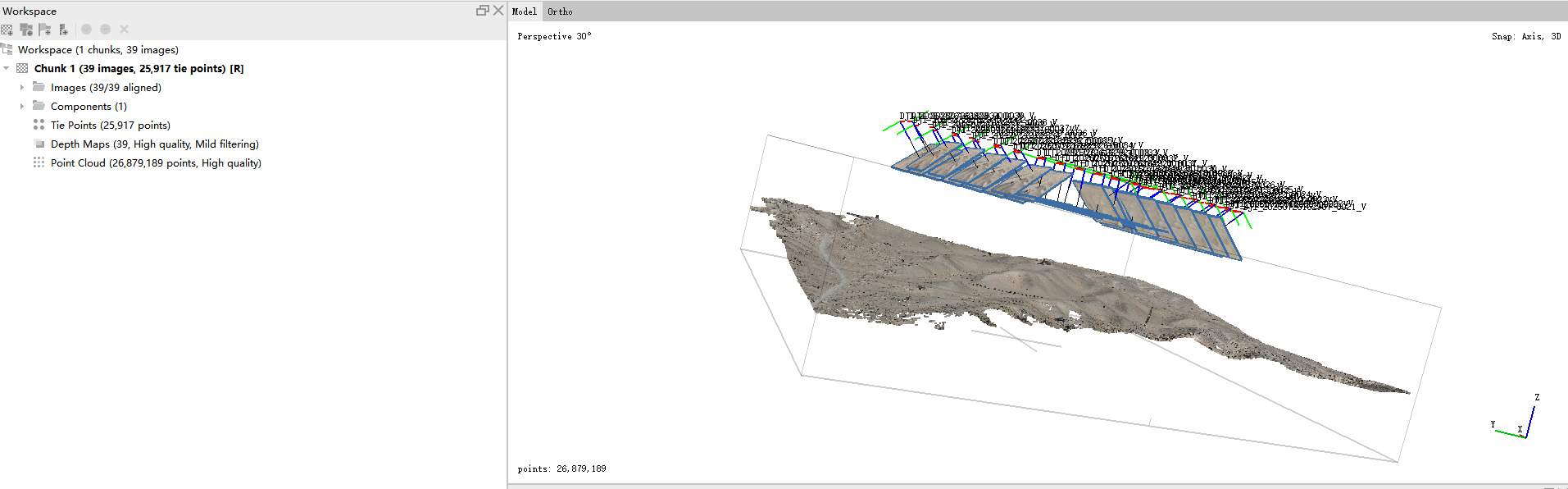
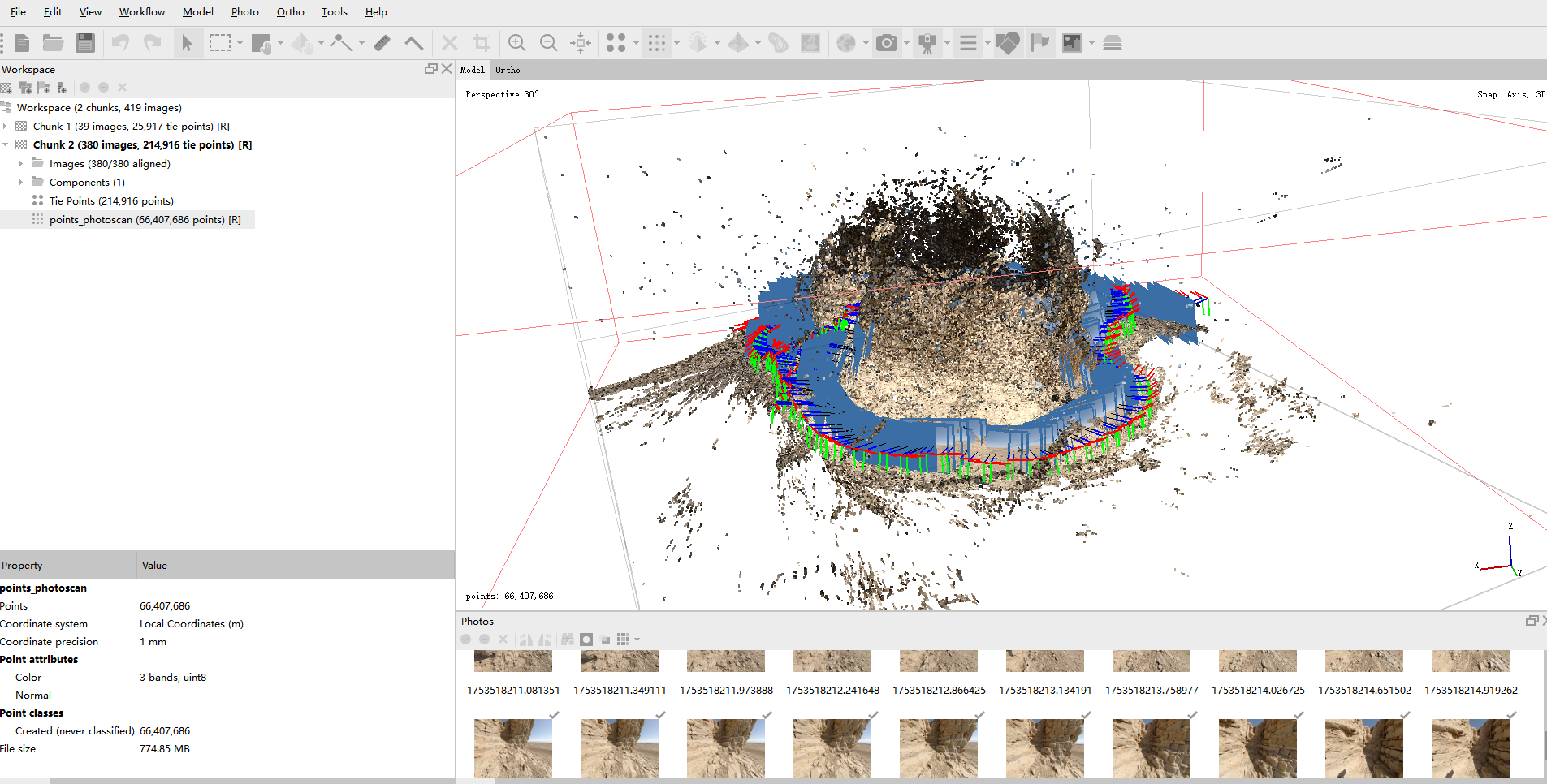
无人机数据处理结果

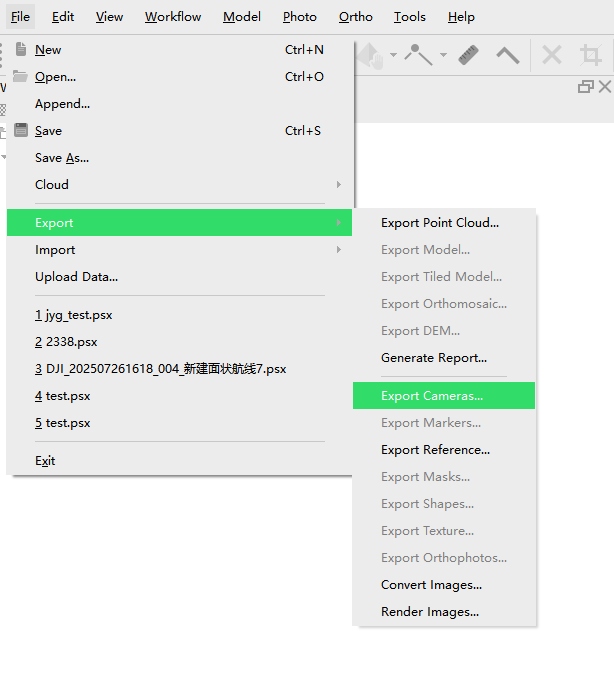
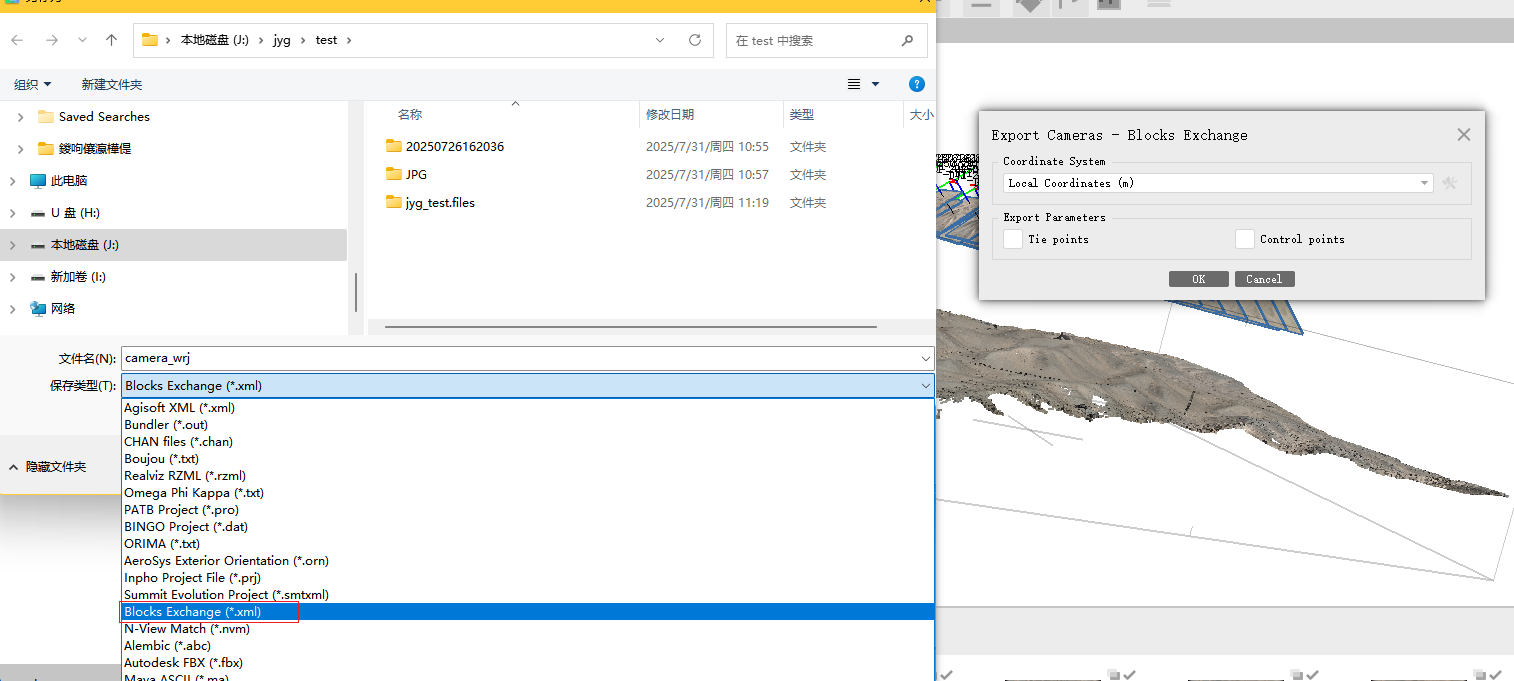
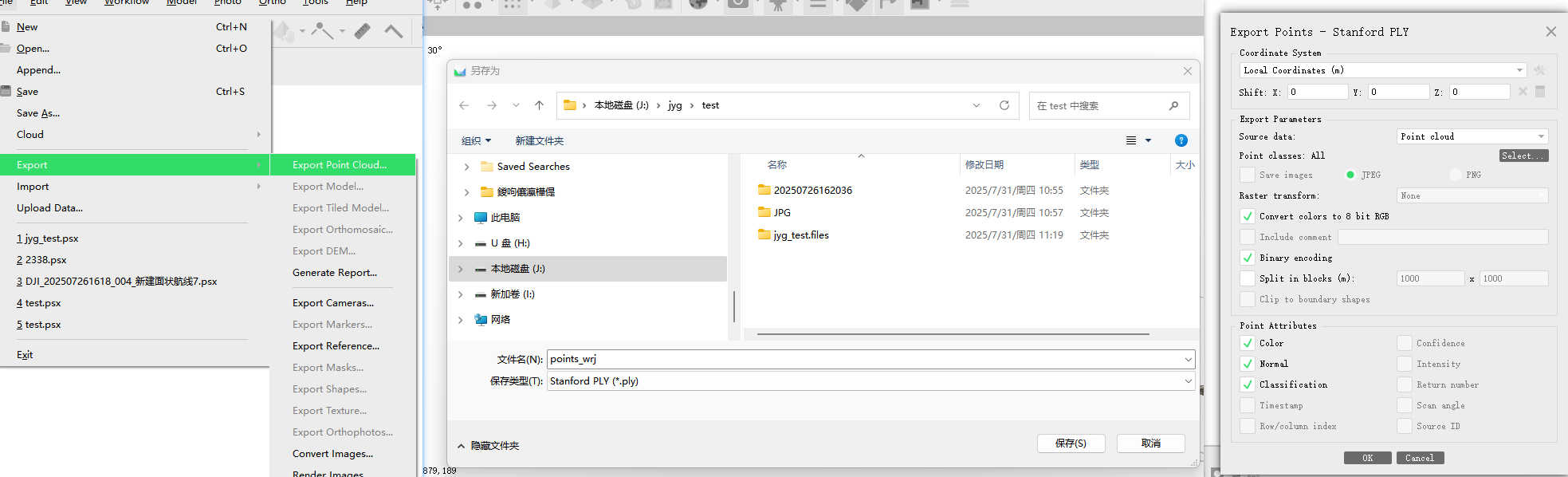
导出camera.xml和点云备用,需要设置导出格式为blockexchange同时不需要导出tiepoints

photoscan导出camera

导出参数设置

点云导出参数设置

手持激光扫描仪处理流程

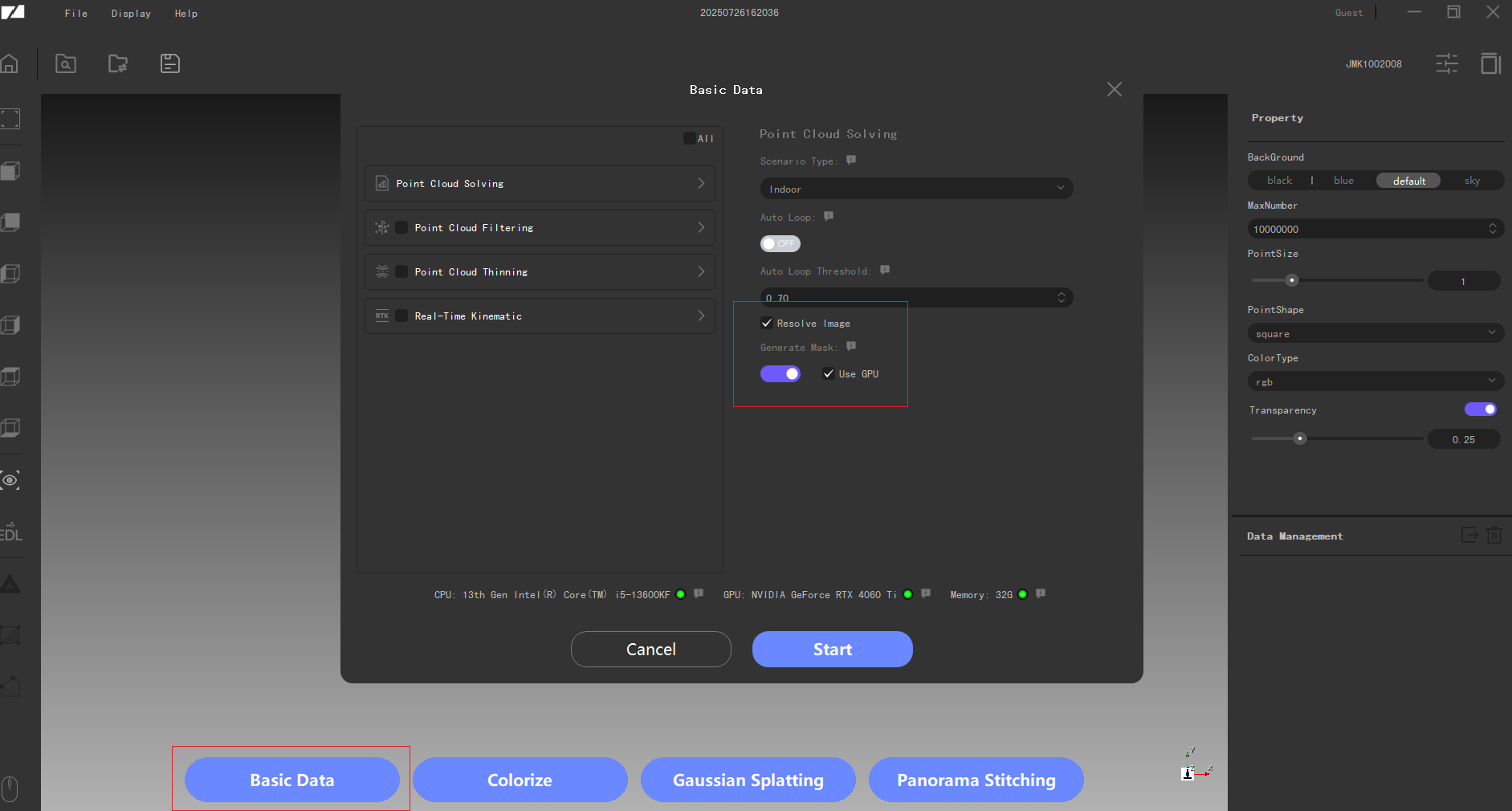
RayStudio打开工程文件—Basic Data解算图片和点云数据

Raystudio解算数据

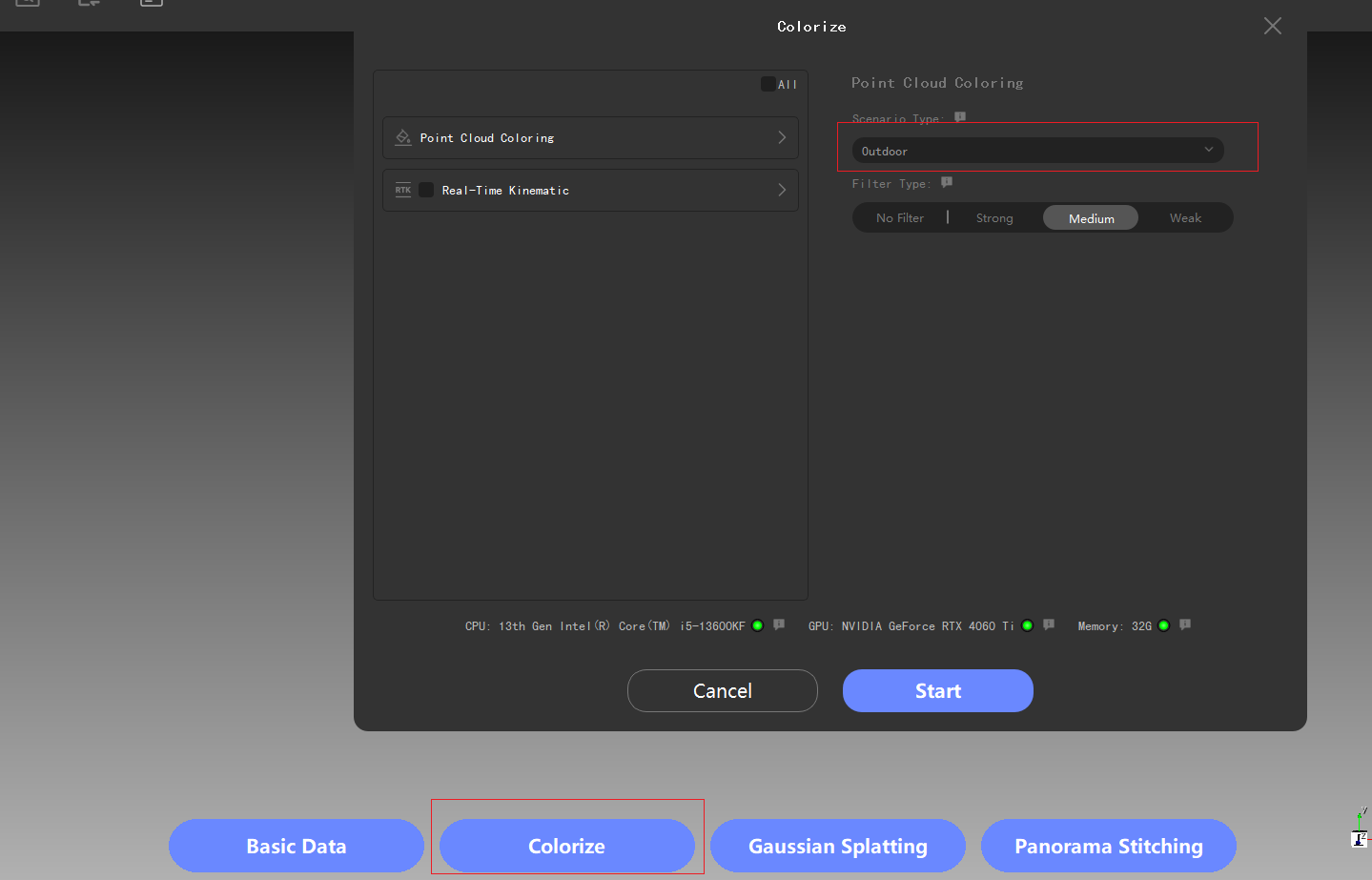
点云赋色

点云赋色

slam处理结果

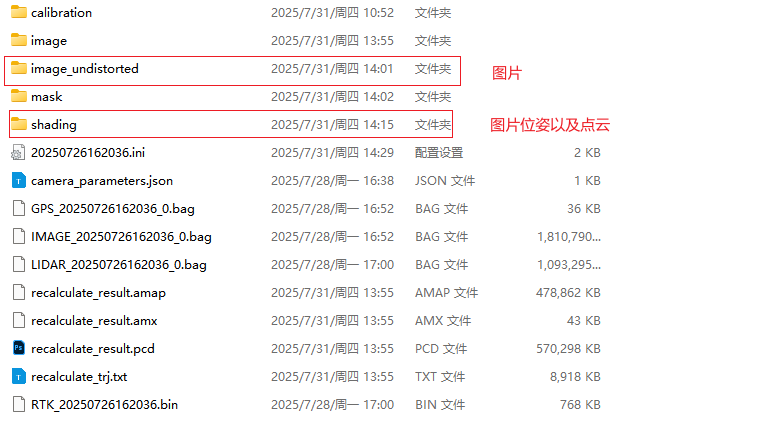
RayStudio导出图片使用Photoscan空三

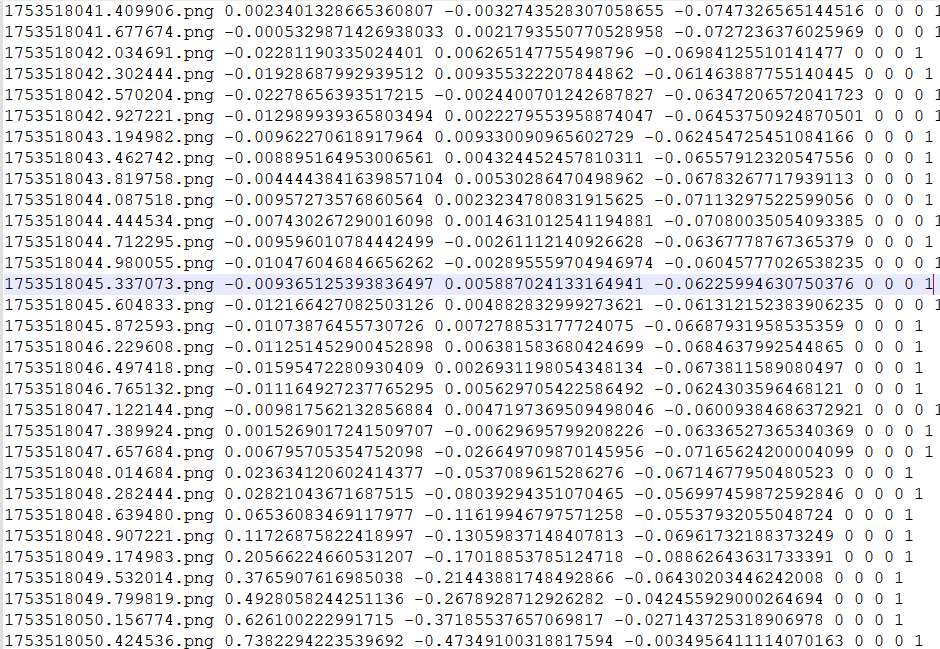
将RayStudio的文件导出图像初始位置

1
python main.py getImageXYZ --colmap_dir J:/jyg/chibi/zhihuilou/outdoor/shading/Colmap/sparse/0/images.txt --output_path J:/jyg/chibi/zhihuilou/outdoor/shading/Colmap/image_xyz.txt

图片路径位于:./image_undistorted/camera_front

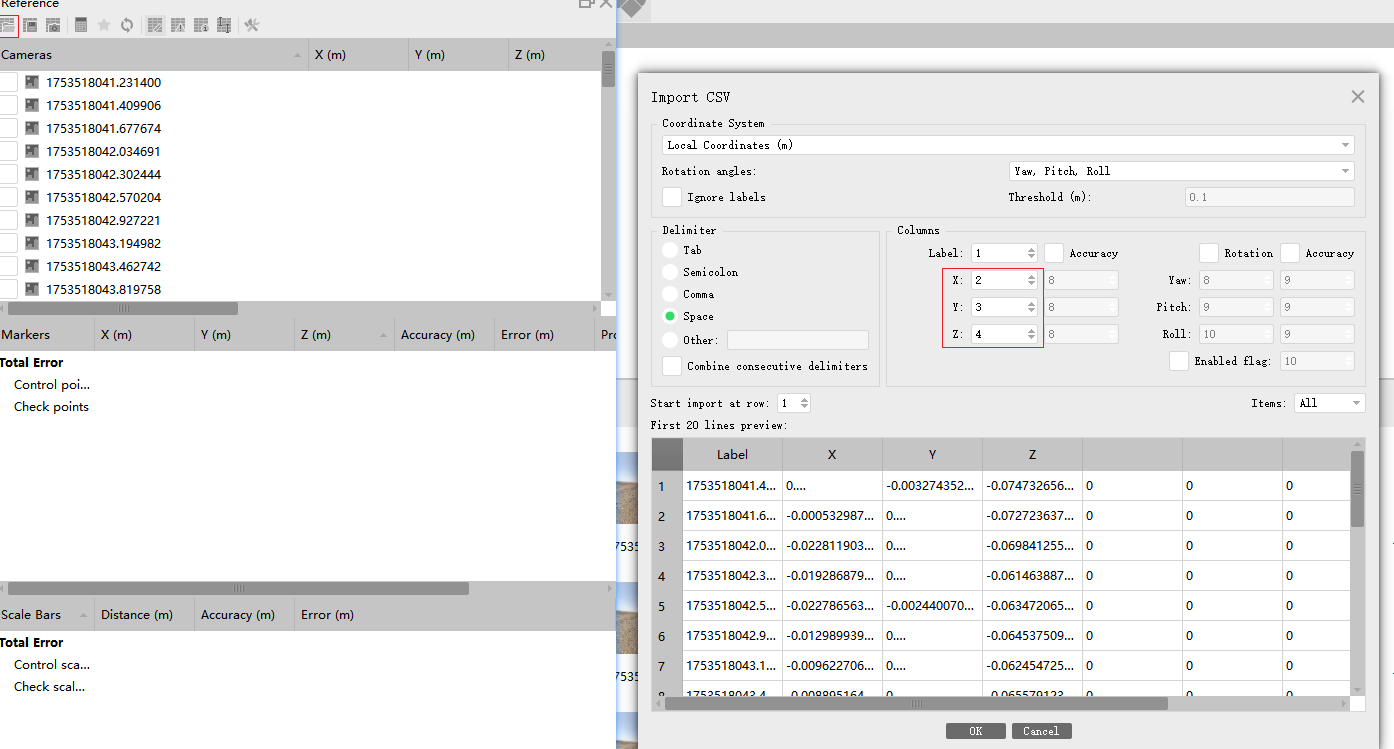
Photoscan添加图片后,在Reference(参考页)添加图像位置作为参考,并选择之前输出的图像位置

phtotscan导入参考

可以适量的删除影像(只保留研究区域)以及稀疏影像,当前影像采集频率高于需求,适当减少加快效率,删除后align photos(对齐图片)->Build Point Cloud

手持密集点云

导出camera.xml和点云备用,需要设置导出格式为blockexchange同时不需要导出tiepoints

手持与无人机融合

手持到无人机坐标系统转换

cloudcampare计算变换矩阵

包含粗配准和精配准两个步骤:其中粗配准为手动调整点云使得两个点云具有初步配齐,再使用icp进行精配准.

记录下每一步点云的变换矩阵

旋转平移方法

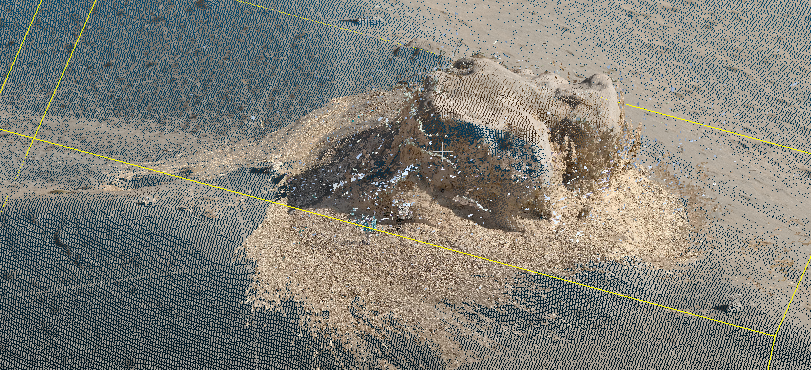
粗配准结果

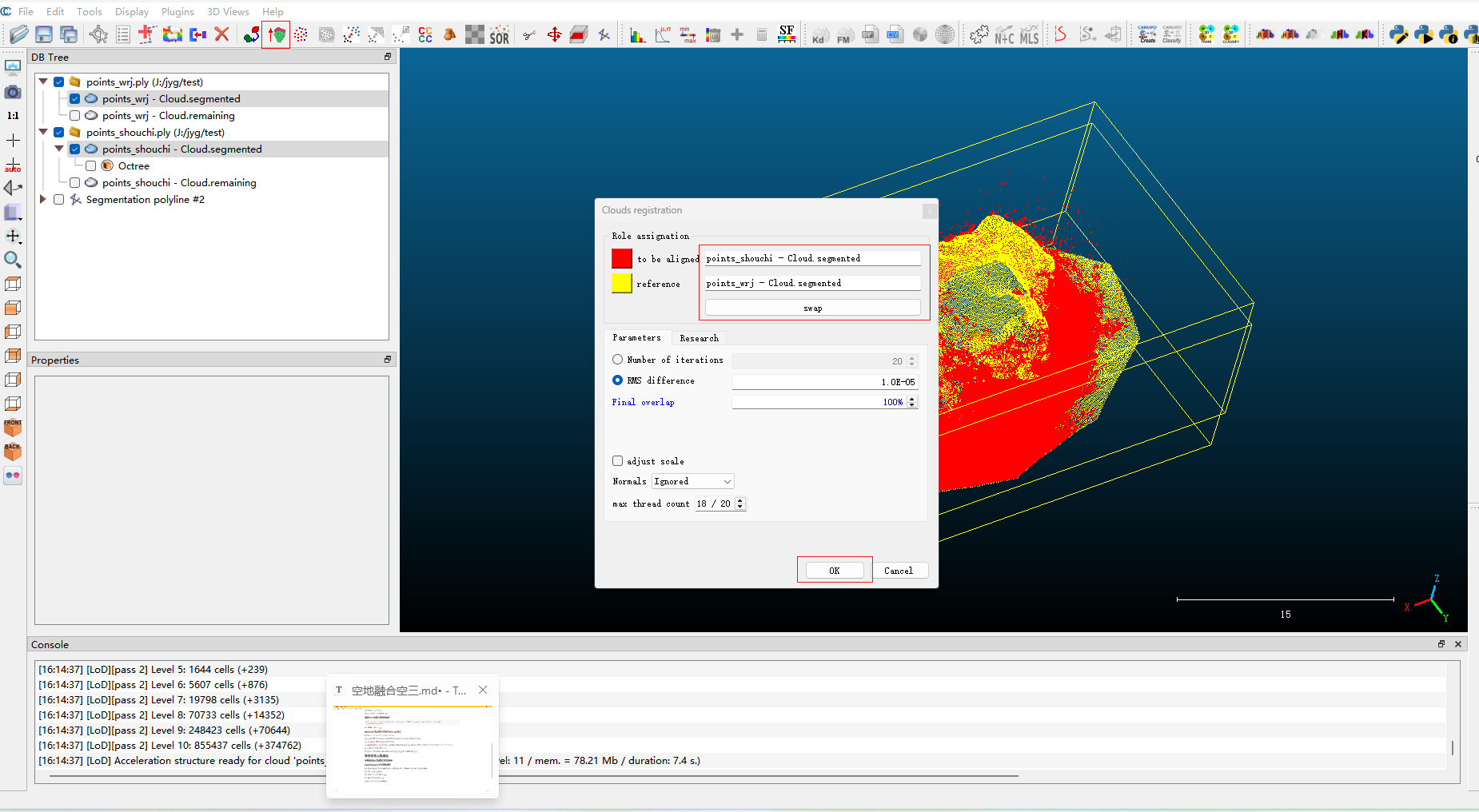
裁剪两个点云至相同范围,并做精配准

精配准

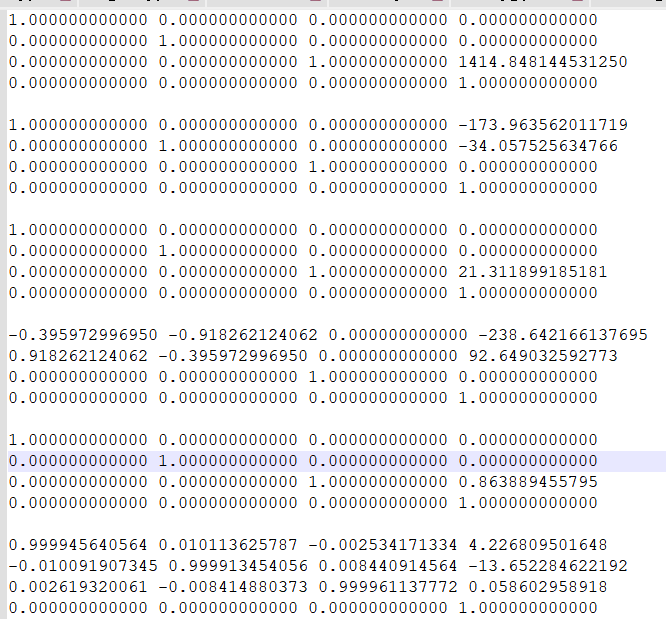
记录下每一步的变换矩阵如下:

变换矩阵

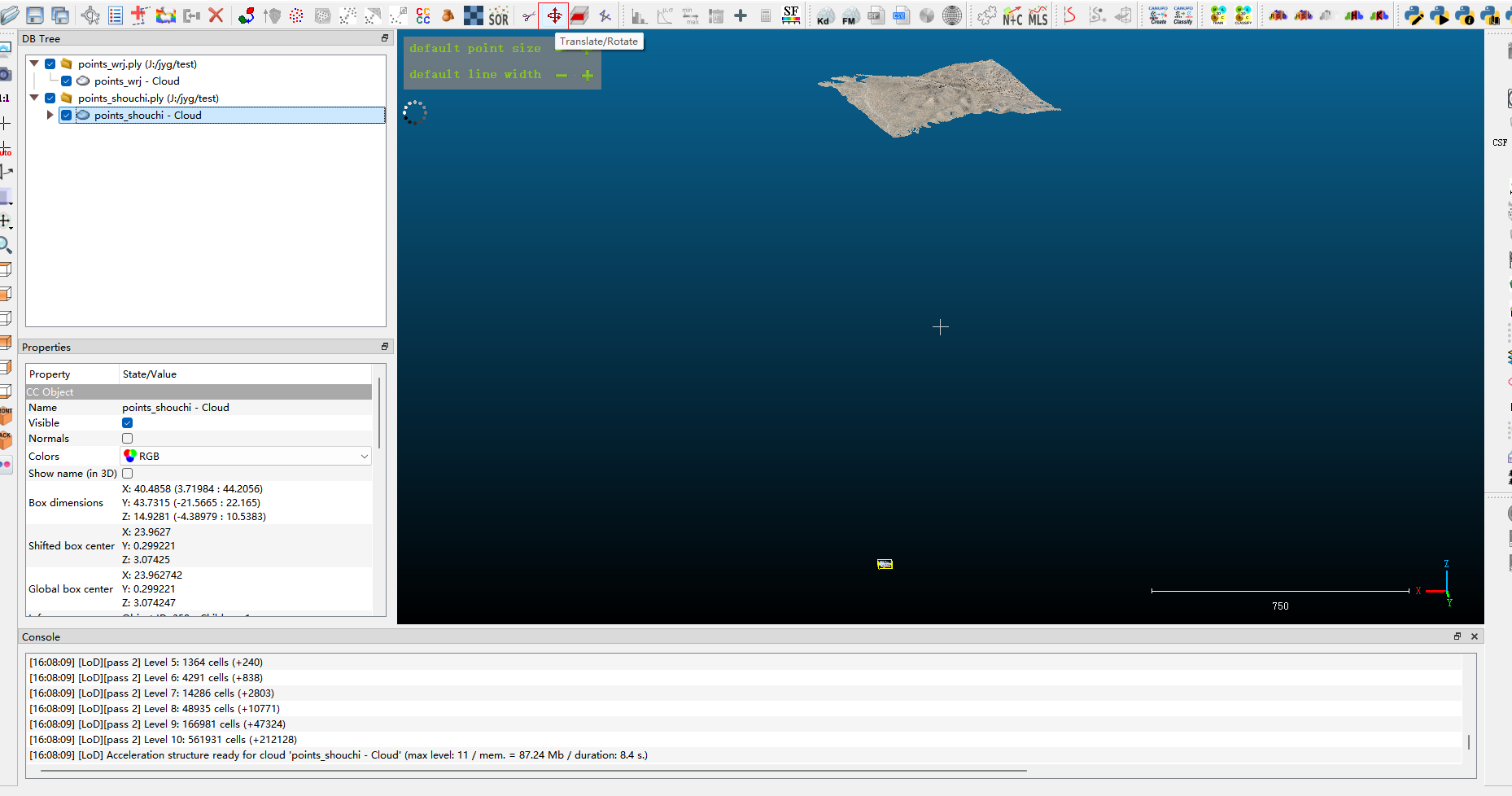
将手持坐标系按照变换关系旋转

将无人机的photoscan的xml格式转为colmap格式

1
python main.py from_photoscan_xml_2_colmap_txt --xml_path J:/jyg/test/camera_shouchi.xml --output_path J:/jyg/test/colmap

根据colmap结果计算图像位置

1
python main.py getImageXYZ --colmap_dir J:/jyg/test/colmap --output_path J:/jyg/test/image_xyz.txt

图像位姿

旋转图像位置到无人机的坐标系下:

1
python main.py rotate_image_xyz --image_xyz J:/jyg/test/image_xyz.txt --output_path J:/jyg/test/image_xyz_out.txt --matrix_path J:/jyg/test/matrix.txt

根据旋转后的图像位置去纠正colmap文件到指定坐标系

1
colmap model_aligner --input_path J:/jyg/test/colmap --output_path J:/jyg/test/colmap_rotate --ref_images_path J:/jyg/test/image_xyz_out.txt --alignment_type enu --ref_is_gps 0  --robust_alignment_max_error 3

将旋转后的bin文件转为txt格式

colmap->import model->export model as text

将旋转后的colmap的txt文件,写为photoscan的xml文件

1
python main.py write_colmap_txt_2_photoscan_xml --colmap_txt_path J:/jyg/test/colmap_rotate --output_xml_path J:/jyg/test/camera_shouchi_rotate.xml --image_path J:/jyg/test/20250726162036/image_undistorted/camera_front

融合无人机和手持影像

合并无人机的xml和手持影像的xml

1
python main.py merge_photoscan_xml --xml_lists J:/jyg/test/camera_wrj.xml J:/jyg/test/camera_shouchi_rotate.xml --output_xml_path J:/jyg/test/merged_camera.xml

将xml文件导出为colmap的txt格式

1
2
python main.py from_photoscan_xml_2_colmap_txt --xml_path J:/jyg/test/merged_camera.xml --output_path J:/jyg/test/colmap_m
erge

  1. Equations: conclude with comma or dot depending on what follows.

    公式后要根据后续的内容添加逗号或句号

一、创建文档

1.创建到_post默认的文件夹中

1
hexo new name

2.创建到_post下的指定子文件夹中

1
hexo new post "title" --path=latex/name.md

二、部署到github

1
hexo clean && hexo generate && hexo deploy

当你不想在新文件夹里再跑一次 BibTeX,只想把已经“编译好”的参考文献带过去(适用于保持回复信中的参考文献顺序和文章中的一致),你至少要拷以下几个文件:

  1. .bbl 这是 BibTeX 运行后生成的含所有条目的正文文件,LaTeX 在第二轮编译时会直接把它当作 .tex 插入。
  2. .bst 这是你用来格式化参考文献的样式文件,如果目标工程里还没有,就要一并拷过去。
  3. .bib 如果目标工程以后还要对条目做增删改,或者要重新跑 BibTeX,就也把原始的 .bib 带上。
  4. .aux 只有当你要完全复刻交叉引用编号或者要保证引用顺序完全一致时才需要,一般不必。

仪器安装

无人机安装+RTK安装

航线规划

按照公司给的文件计算飞速等设置(要求其中一条航线包含灰布)

参数设置

自动曝光+白帧+黑帧

***自动曝光:***将飞机抬起来对着灰布,要求迎着太阳,摄像头拍的灰布区域不会被影子挡住,点击自动曝光

***白帧:***将飞机抬起来对着灰布,要求迎着太阳,摄像头拍的灰布区域不会被影子挡住,点击白帧

***黑帧:***将飞机放在地面上,盖着镜头盖,点击黑帧

飞行

起飞+绕8字+按航线飞行+(过灰布)

如果航线不过灰布的话需要手动飞一条航线过灰布

ar-app使用教程

ar_app文件夹:

image-20230911090458858

***数据与输出文件夹:***建议按以下路径放置,可以更改

image-20230911090809952

ar_app使用

image-20230911095706333

其中:

–input_path:输入路径

路径下有两个文件夹:

  • mapping:构建库的图片(不可动)
  • query:存储定位图片的临时文件夹(需要定期删除里面的图片)

image-20230911103431355

–output_path:输出路径

里面有若干定位所需要的文件,不可更改

image-20230911103637786

–host:本机IP

本机电脑IP地址,服务发布的位置

–port:服务运行的IP

–number_retrieval:定位前图片检索的张数

数量可以设置为100,可以根据定位效果调整,这个对定位效率影响较小

–init_match_num:初始化图片用于定位需要的图片数目

这个对初始化定位速率影响较大,数量越多,定位精度越高,但定位效率越低

–navigation_match_num:导航过程中用于定位的图片数目

这个对导航定位数量影响较大,如上所述,可以根据精度和定位效率要求进行更改,默认为10

发起请求与返回

  • ***请求地址:***http://host:ip/upLoadImg_api
  • 使用方法如下所示:
1
2
3
4
5
6
7
8
9
10
11
12
13
14
15
16
17
18
19
20
21
22
23
24
 wx.uploadFile({
filePath: res.tempFilePath,
name: 'image',
url: 'http://10.104.31.14:5001/upLoadImg_api',
success:(res)=>{
let x_y_data = JSON.parse(res.data)
if(x_y_data.status === "floor"){
wx.showLoading({
title: '行走楼梯中',
mask: True
})
}else{
this.addPointToMap(x_y_data.x, x_y_data.y,"image")
wx.hideLoading()
}

if(this.is_end === false){
this.upLoadImage()
}
},
fail:(res)=>{
console.log(res)
}
})
1
2
3
4
5
6
7
8
9
10
11
12
13
14
15
import json
import os
import time
import requests
url = "http://192.168.20.146:5001/upLoadImg_api"
src_dir = "cz_1"
images = os.listdir(src_dir)
images = sorted(images, key=lambda x: int(x.split(".")[0]))
for image in images:
file = os.path.join(src_dir, image)
files = {'image': open(file, 'rb')}
start_time = time.time()
r = requests.post(url=url, files=files)
end_time = time.time()
print(end_time-start_time, r.content)

返回值:

1
2
3
4
5
6
7
8
9
{

x:x坐标,

y:坐标,

status:"floor"时表示定位失误

}

一、本地使用

1.一般使用

新建项目:

image-20230907161016140

***引擎设置:***确保项目的jobs路径和引擎监听的jobs路径相同

image-20230907162128310

image-20230907162234601

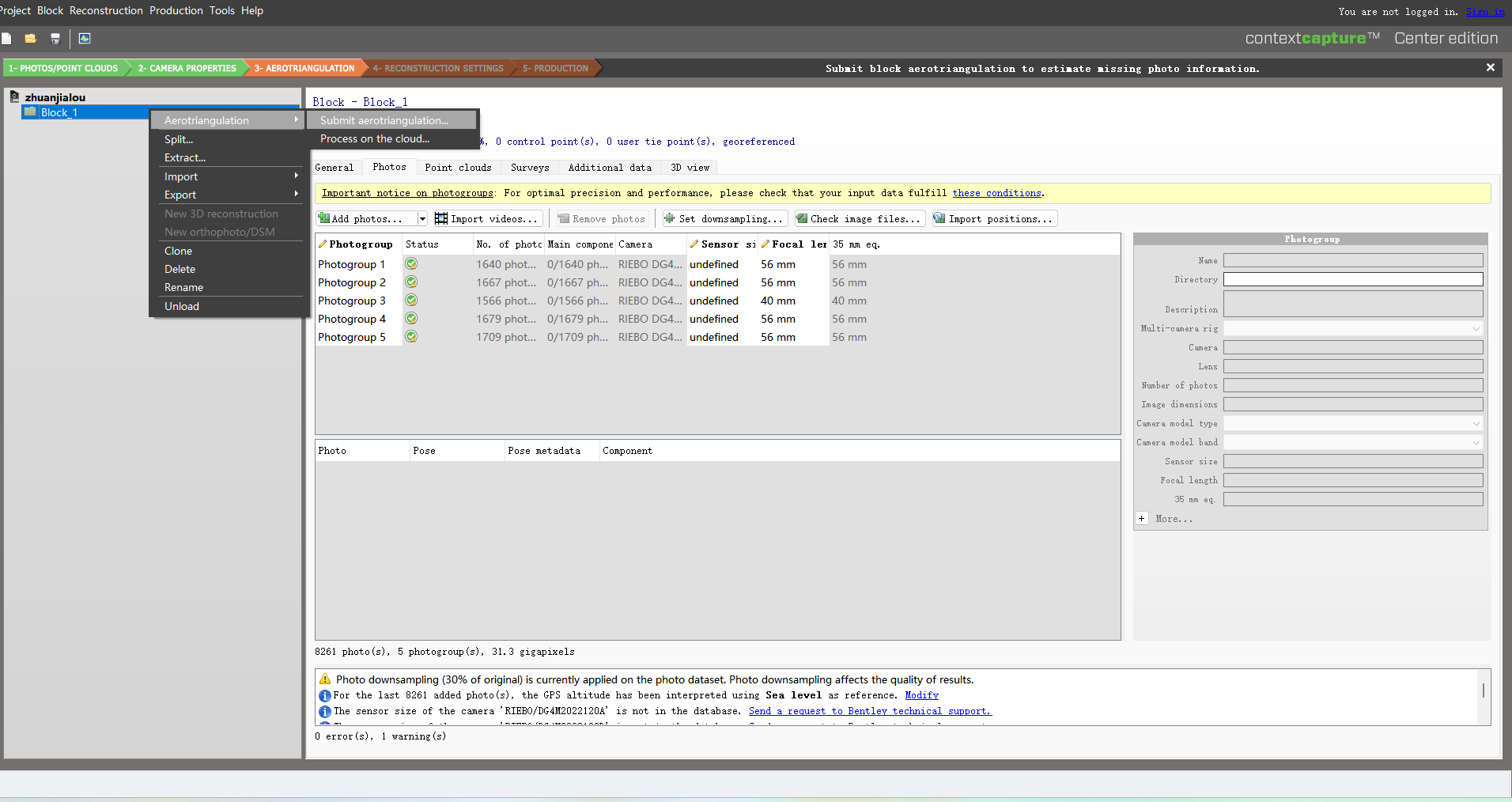
导入图片:

image-20230907161046985

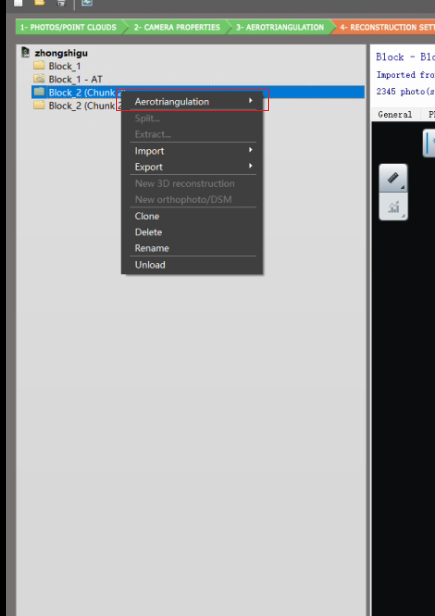
***空三:***block名上右键

image-20230907162010342

image-20230907164531702

***重建:***空三后的block上右键

image-20230907164632789

image-20230907164809754

image-20230907164831639

image-20230907164924132

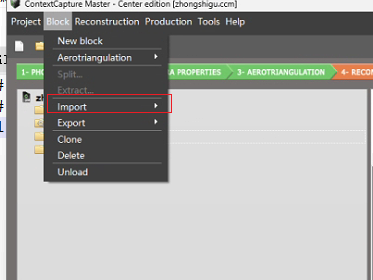
2.导入其他软件的空三结果

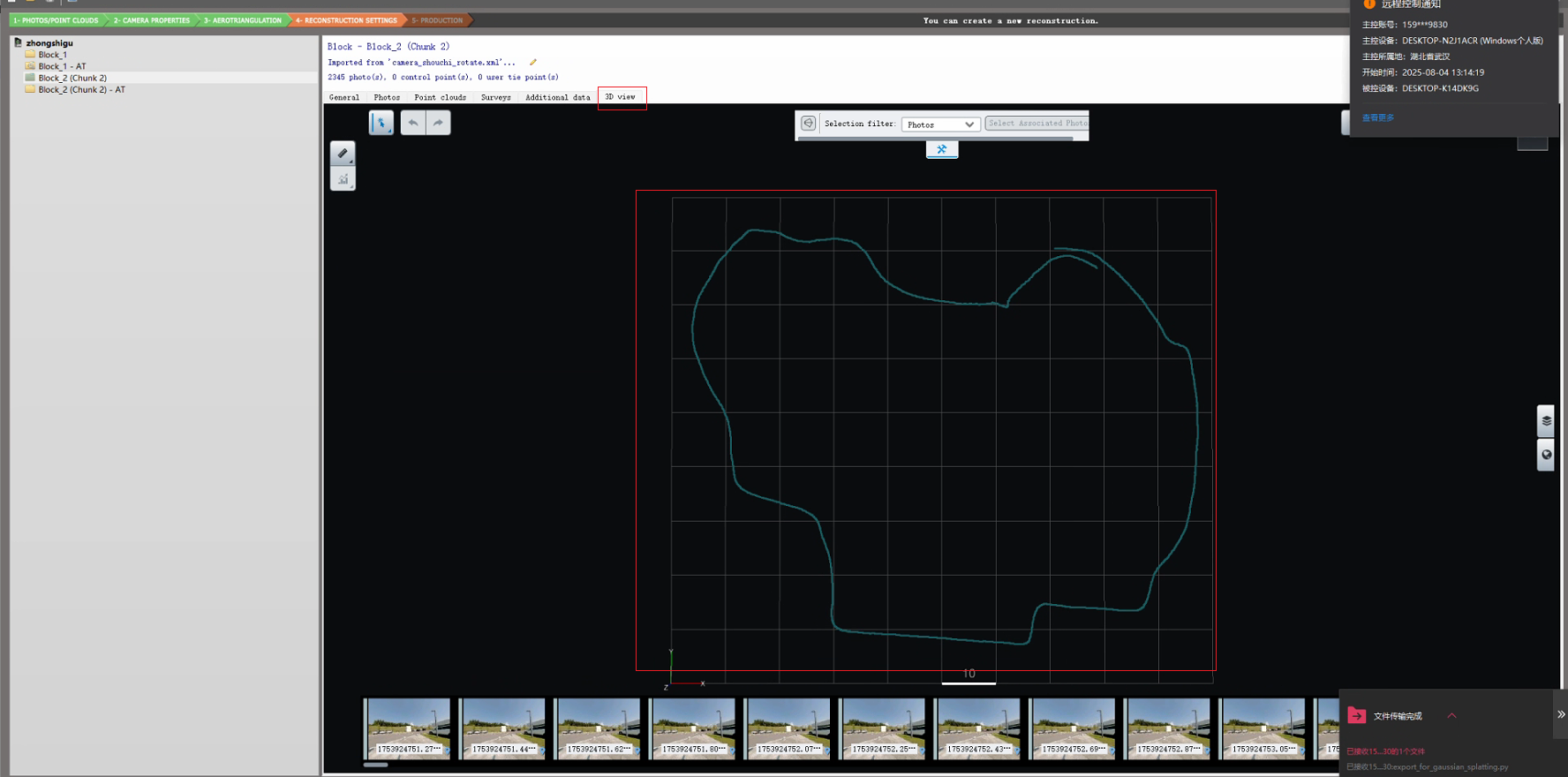
注意导入的xml文件中图片的路径要和导入图片的路径一样,也就是需要更改一下这个路径,在3D view里去看一下是否图片可以找到

image-20230907170005855

二、集群使用

***集群三个部分:***Master机器+文件存储机器+工作机器(引擎)

1.集群项目的建立

项目路径要为网络路径

image-20230907171142785

引擎设置:

image-20230907171421385

image-20230907171459799

其余和非集群类似

image-20230907171558691

2.特殊处理方法(特殊问题)

2.1.带宽限制

集群所有的机器都会在文件存储机器上面读写,因此有一定的带宽限制,开的集群机器数目不能太多,可以适当超过带宽限制一点点

image-20230907172028754

2.2.项目太大,导致提交项目后有一定的问题

分tiles提交,一次只提交一部分tiles

python中常见错误

opencv相关

最基础的imread、imwrite都不能使用

1
cv2.error: OpenCV(4.2.0) C:\projects\opencv-python\opencv\modules\highgui\src\window.cpp:651: error: (-2:Unspecified error) The function is not implemented.

***解决办法:***降低python版本为3.7

环境配置

安装 — MMPose 1.1.0 文档

***注意:***python版本使用3.7的,要不然opencv会出错,什么原因不知道

错误明细

手势识别运行

  • 图片手势识别
1
python demo/topdown_demo_with_mmdet.py demo/mmdetection_cfg/cascade_rcnn_x101_64x4d_fpn_1class.py cascade_rcnn_x101_64x4d_fpn_20e_onehand10k-dac19597_20201030.pth configs/hand_2d_keypoint/topdown_heatmap/onehand10k/td-hm_hrnetv2-w18_8xb64-210e_onehand10k-256x256.py hrnetv2_w18_onehand10k_256x256-30bc9c6b_20210330.pth --input tests/data/onehand10k/9.jpg --show --draw-heatmap

深度学习原理

梯度下降

深度学习简单实现

最基础线性规划实现

1
2
3
4
5
6
7
8
9
10
11
12
13
14
15
16
17
18
19
20
21
22
23
24
25
26
27
28
29
30
31
32
33
34
35
36
37
38
39
40
41
42
43
44
45
46
47
48
49
50
51
52
53
54
55
56
57
58
59
60
61
62
63
64
65
import tensorflow as tf
from tensorflow.keras import datasets
(x, y), (x_val, y_val) = datasets.mnist.load_data()
# 加载数据
x = tf.convert_to_tensor(x, dtype=tf.float32) / 255.
y = tf.convert_to_tensor(y, dtype=tf.int32)
print(x.shape, y.shape)
# 将x、y转为tensorflow的db
train_dataset = tf.data.Dataset.from_tensor_slices((x, y))
# 设置batch
train_dataset = train_dataset.batch(200)

# [b, 784] => [b, 256] => [b, 128] => [b, 10]
# []
# 这是在计算过程中需要的参数,也是梯度下降时要变化的东西
w1 = tf.Variable(tf.random.truncated_normal([784, 256], stddev=0.1))
b1 = tf.Variable(tf.zeros([256]))
w2 = tf.Variable(tf.random.truncated_normal([256, 128], stddev=0.1))
b2 = tf.Variable(tf.zeros([128]))
w3 = tf.Variable(tf.random.truncated_normal([128, 10], stddev=0.1))
b3 = tf.Variable(tf.zeros([10]))

lr = 1e-3

for step, (x, y) in enumerate(train_dataset):
# x:[128, 28, 28]
# y:[128]
# [b, 28, 28] => [b, 28*28]
x = tf.reshape(x, [-1, 28*28])

with tf.GradientTape() as tape:
# x:[b, 28*28]
# h1 = x@w1 + b1
# [b, 784]@[784, 256] + [256]=>[b,256] + [256] => [b, 256]
h1 = x@w1 + b1
h1 = tf.nn.relu(h1)
# [b, 256] => [b, 128]
h2 = h1@w2 + b2
h2 = tf.nn.relu(h2)
# [b, 128] => [b, 10]
out = h2@w3 + b3

# compute loss
# out: [b, 10]
# y:[b] => [b, 10]
y = tf.one_hot(y, depth=10)

# mse = mean(sum(y-out)^2)
# [b,10]
loss = tf.square(y-out)
# mean: scalar
loss = tf.reduce_mean(loss)
# 梯度计算
grads = tape.gradient(loss, [w1, b1, w2, b2, w3, b3])
# 梯度更新
# w1 = w1 - lr * grads[0]
w1.assign_sub(lr * grads[0])
b1.assign_sub(lr * grads[1])
w2.assign_sub(lr * grads[2])
b2.assign_sub(lr * grads[3])
w3.assign_sub(lr * grads[4])
b3.assign_sub(lr * grads[5])

if step % 100 == 0:
print(step, 'loss', float(loss))

使用tensorflow的部分接口实现

1
2
3
4
5
6
7
8
9
10
11
12
13
14
15
16
17
18
19
20
21
22
23
24
25
26
27
28
29
30
31
32
33
34
35
36
37
38
39
40
41
42
43
44
45
46
47
48
49
50
51
52
53
54
55
56
57
58
59
60
61
62
63
64
65
66
67
68
69
70
71
72
73
74
75
import tensorflow as tf
from tensorflow import keras
from tensorflow.keras import datasets, optimizers, Sequential, layers


def data_pre_process(x, y):
x = tf.cast(x, dtype=tf.float32) / 255.
y = tf.cast(y, dtype=tf.int32)

return x, y


def dataLoader():
(x, y), (x_val, y_val) = datasets.fashion_mnist.load_data()
db = tf.data.Dataset.from_tensor_slices((x, y))
db = db.map(data_pre_process).batch(128)

db_val = tf.data.Dataset.from_tensor_slices((x_val, y_val))
db_val = db_val.map(data_pre_process).batch(128)

return db, db_val


if __name__ == "__main__":
# 数据加载
db, db_val = dataLoader()

model = Sequential([
layers.Dense(256, activation=tf.nn.relu),
layers.Dense(128, activation=tf.nn.relu),
layers.Dense(64, activation=tf.nn.relu),
layers.Dense(32, activation=tf.nn.relu),
layers.Dense(10, activation=tf.nn.relu),
])
model.build(input_shape=[None, 28*28])
model.summary()

optimizers = optimizers.Adam(lr=1e-3)
# 迭代
for epoch in range(30):
# 每次迭代过程中会根据batchsize分块计算
for step, (x, y) in enumerate(db):
x = tf.reshape(x, [-1, 28*28])
# 梯度计算
with tf.GradientTape() as tape:
logits = model(x)
y_onehot = tf.one_hot(y, depth=10)
loss_mse = tf.reduce_mean(tf.losses.MSE(y_onehot, logits))
loss_ce = tf.reduce_mean(tf.losses.categorical_crossentropy(y_onehot, logits, from_logits=True))

grads = tape.gradient(loss_ce, model.trainable_variables)
# 梯度更新
optimizers.apply_gradients(zip(grads, model.trainable_variables))

if step % 100 == 0:
print(epoch, step, 'loss:', float(loss_ce), float(loss_mse))
# 测试/验证集精度计算
total_correct = 0
total_num = 0
for x, y in db_val:
x = tf.reshape(x, [-1, 28*28])
logits = model(x)
prob = tf.nn.softmax(logits, axis=1)

pred = tf.argmax(prob, axis=1)
pred = tf.cast(pred, dtype=tf.int32)

correct = tf.equal(pred, y)
correct = tf.reduce_sum(tf.cast(correct, dtype=tf.int32))
total_correct += int(correct)
total_num += x.shape[0]

acc = total_correct/total_num
print(epoch, 'test acc:', float(acc))

tensorflow高级api使用

所有的深度学习都包含上面几个步骤

  • 加载数据
  • 迭代
  • 梯度更新
  • 测试/验证精度计算

因此,tensorflow将上面的固定步骤写在同一的接口中方便使用

1
2
3
4
5
6
7
8
9
10
11
12
13
14
15
16
17
18
19
20
21
22
23
24
25
26
27
28
29
30
31
32
33
34
35
36
37
38
39
40
41
42
import tensorflow as tf
from tensorflow import keras
from tensorflow.keras import datasets, optimizers, Sequential, layers


def data_pre_process(x, y):
x = tf.cast(x, dtype=tf.float32) / 255.
y = tf.cast(y, dtype=tf.int32)

return x, y


def dataLoader():
(x, y), (x_val, y_val) = datasets.fashion_mnist.load_data()
x = x.reshape(60000, 28*28)
y = tf.one_hot(y, depth=10)
db = tf.data.Dataset.from_tensor_slices((x, y))
db = db.map(data_pre_process).batch(128)

db_val = tf.data.Dataset.from_tensor_slices((x_val, y_val))
db_val = db_val.map(data_pre_process).batch(128)

return db, db_val


if __name__ == "__main__":
db, db_val = dataLoader()

model = Sequential([
layers.Dense(256, activation=tf.nn.relu),
layers.Dense(128, activation=tf.nn.relu),
layers.Dense(64, activation=tf.nn.relu),
layers.Dense(32, activation=tf.nn.relu),
layers.Dense(10, activation=tf.nn.relu),
])
model.build(input_shape=[None, 28*28])
model.summary()
# compile中会提供若干参数,如梯度优化方式、误差计算方式、精度评定方式,当然还有更多参数,请阅读文档
model.compile(optimizer=optimizers.Adam(lr=0.0001), loss=tf.losses.CategoricalCrossentropy(from_logits=True),
metrics=['accuracy'])
# fit即开始训练,需要输入db和要迭代的次数,注意db中的x和y要和model的输入与输出维度一致
model.fit(db, epochs=1000)

常见问题

过拟合和欠拟合

***过拟合:***训练精度很高,测试精度不够(可能)

***欠拟合:***训练精度不够,测试精度也不够(可能)——模型复杂度不够

过拟合解决

  • 更多数据
  • 更简单的模型
  • 数据增强

Regularization

image-20230702195941412

前面是误差,后面是参数的范式,参数的一范式越小说明参数越接近于0,那么拟合出来的模型就越平滑,出现过拟合的可能性就越小

image-20230702200316610

两张regularization方式,分别是一范数二范数

Momentum

image-20230702200957049

动量设置,参数更改的不仅仅由当前梯度的影像,还与上一次梯度的方向有关

Learning rate

image-20230702201327476

学习率一般刚开始比较大,后续慢慢变小,前期学习率大变化快,后续会较慢

提前取消

如果出现了训练精度还在提高,测试精度不提高了,说明已经过拟合,可以停止训练

Dropout

image-20230703092847561

每一次训练都有一些连线可能中断

tensorflow和pytorch的dropout参数是相反的

dropout在做test时不能使用——要手动取消

为什么要卷积

为什么要卷积?不使用简单的Dense层?

  • 数据存储需求大

视野?滑动窗口?这个窗口是卷积核?cv里面锐化模糊边缘提取的卷积核

卷积核的个数,也就是con2d中的两个参数:

  • 卷积核的大小问题

[c, 3, 3]一个卷积核可以将一张图片卷积到一个channels为1的新层次,c为图片的通道数

image-20230703095053915

如图,这个[3, 3, 3]依次对三个通道做乘法,然后将结果加起来得到一个一通道的数据,这个一通道的数据代表着原图像在某一层次上的特征

有时候我们需要更多的特征,这时候就需要[N, c, 3, 3]这样N个卷积来提取特征,就会得到N个通道的特征

如下面的(64, 3)其中的64就是上面的N代表着64个通道的特征,3是卷积核的大小,也就是[c, 3, 3]中的3,c会默认与图片的通道数相同,所以不需要额外设置

1
conv1 = Conv2D(64, 3, activation='relu', padding='same')(inputs)

image-20230702203217415

为什么要下采样(池化)

不同的程度可以获取到不同层级的特征

image-20230703095836625